 Pawel M. Konefal
AI & development ·
My AI workflow starts with a microphone
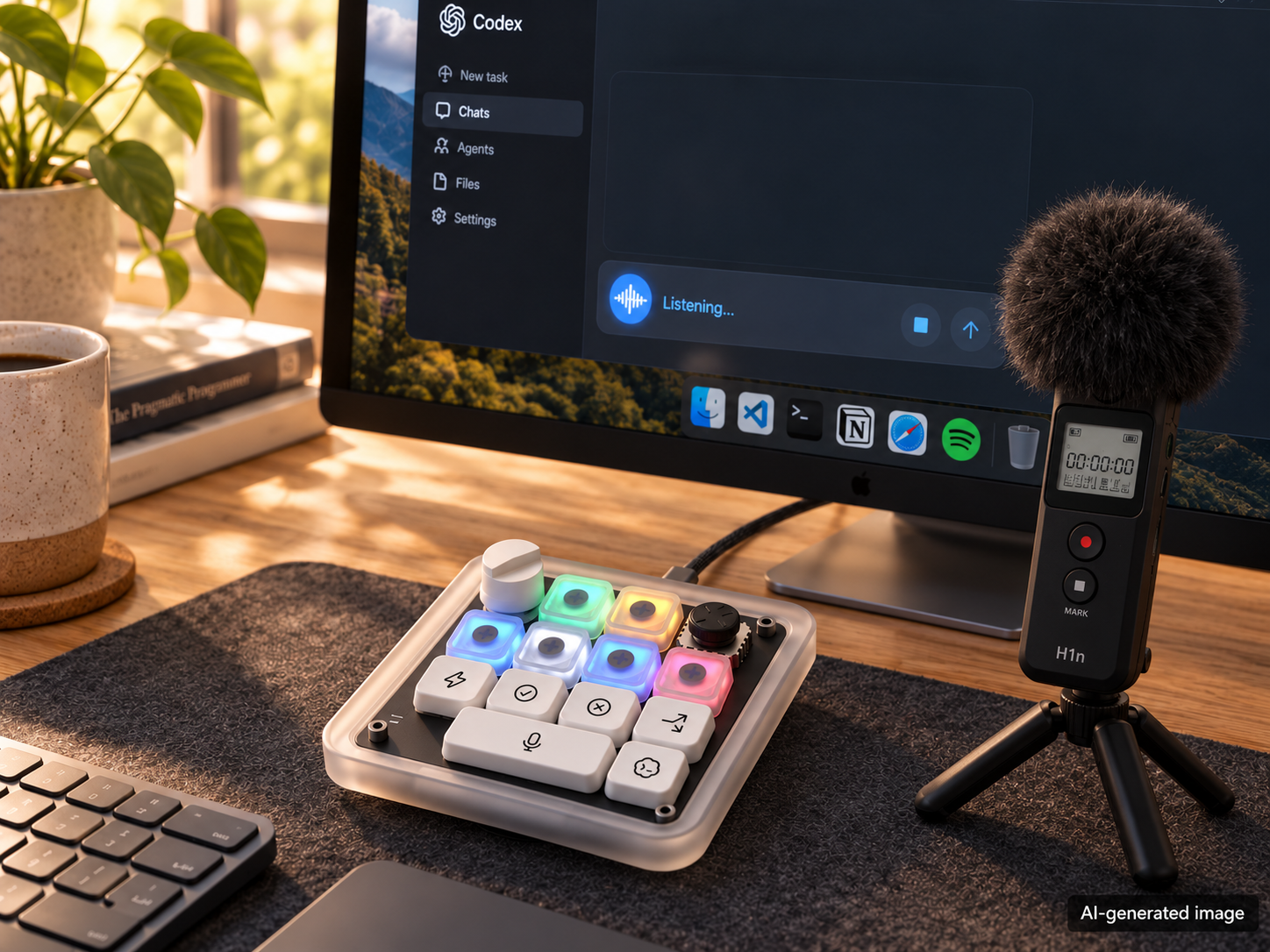
My AI workflow starts with a microphone.
I dictate tasks and follow-ups to agents in desktop apps and CLI tools. To control the rest of the workflow, I use a Work Louder Creator Micro 2.
Together with Claude in Cowork, I configured it for the tools I use: the ChatGPT/Codex and Claude desktop apps, Claude Code, Codex CLI, OpenCode, Cursor, VS Code and T3 Code.
A small background service on my Mac switches the button mappings automatically when I change apps. My terminal workflows include herdr, cmux and Ghostty. In cmux and herdr, the service identifies the agent running in the focused pane, so different CLI agents get their own layouts.
Here is what that gives me at my desk:
- Push-to-talk through Whisper to dictate the next task. In the Codex/ChatGPT app, I use its built-in voice-to-text.
- Screenshot actions to send visual context to an agent.
- Six keys showing the status of my CLI agent sessions: blue for working, amber when an agent needs my approval or input, green for finished. Tapping a key takes me to that session; holding it approves.
- In the ChatGPT/Codex app, the send key first accepts the suggested next prompt, then sends it.
- App-specific actions on the same physical controls, with less reaching for the mouse or remembering different shortcuts.
The mappings live in one configuration file. A single command writes them to the device.
I've also printed my own keycaps, inspired by the ones on the OpenAI version. I use AI tools to help with the designs and my 3D printer to turn them into physical keys for the controller.
The aim is to move between agents and give them context without constantly switching back to the mouse or the main keyboard.
How are you setting up the physical controls for your agent workflows?